Thursday, February 24, 2011

Running command line programs in Mac

Type in textwrangler

#!/bin/bash
cd /applications/IDV
./runIDV

Saved it as runIDV.command in home

Right click on the item and then create alias. Move the alias to the Applications folder on the dock.

Bingo!

Wednesday, February 23, 2011

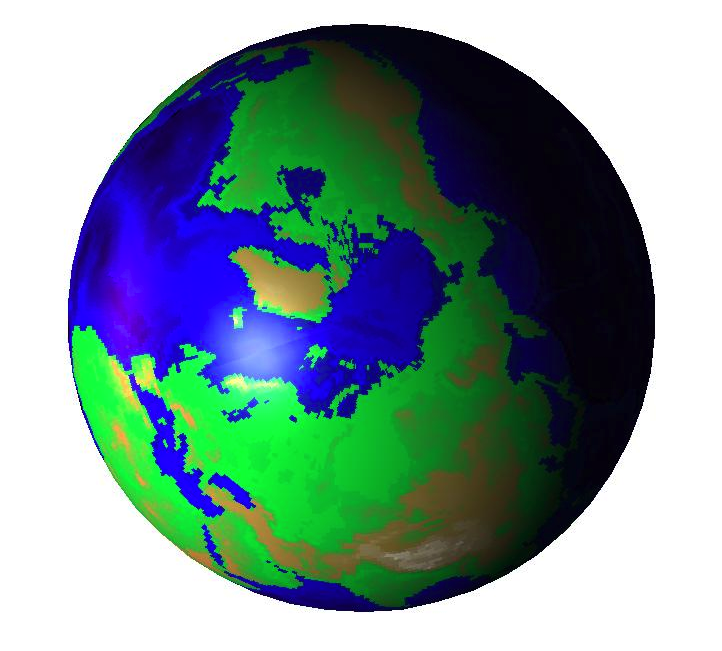
Map of the Earth on Matlab topo.mat

It is nice and handy to know that the map of the earth  is available on Matlab.

load topo
contour(topo,[0,0],'k')


Topo contour plot in matlab.

The Blue marble!

The cool 3D map is obtained after running the code from:
with cdata on to sphere.

 Remote Sensing and Image InterpretationRemote Sensing of Vegetation: Principles, Techniques, and ApplicationsAn Introduction to Ocean Remote Sensing

Sunday, February 20, 2011

Matlab Answers Central

Matlab has opened up with answers. This is awesome as this can serve as a place for users to interact and post the problems, and possibly the solutions.
They have some system of having points as in yahoo answers, but other than feeling better that the poster helped to solve the problem, I am not sure what does that score mean.

http://www.mathworks.com/matlabcentral/answers/

Monday, November 29, 2010

Can't create index output file in texnic center

I was beating my day because the index was not being printed on the report.
Later, after a good number of search(es),  I found that this is interesting feature of MikTex 2.9

The problem was solved by changing %bm to %tm in the MakeIndex option.

Here is what I did:
Go to build > Define Output Profiles (Alt+F7)
Change %bm to %tm in the MakeIndex option.
Probably same thing needs to happen with Bibtex (if problem persists).


Edit:
I am really glad that you are finding it useful. Happy Texing!


Saturday, November 27, 2010

Entropy Plot for a fair coin toss

Entropy Plot for a fair coin toss

(Yes png as pdflatex does not take eps or pdf format.)
...

clear all
close all
p = 0.0:0.0001:1
entropy = -(p.*log2(p))-((1-p).*log2(1-p)); % in bits try logp to see in nats
figure;
h = plot(p,entropy);
axis tight;
mypretty(h,'Probability','Entropy (bits)','Entropy versus probability for a coin toss')
set(gca, 'LooseInset', [0,0,0,0]);
saveas(h, 'entropy_parabola.png')

Friday, November 26, 2010

Getting rid of un-necessary white spaces in matlab figures

Matlab creates a huge white space around the picture when we do "saveas figure".

There is workaround:

 http://tipstrickshowtos.blogspot.com/2010/08/how-to-get-rid-of-white-margin-in.html
OR
set(gca, 'LooseInset', [0,0,0,0]);